01
FeaturedProduct Presentation
View the managerial presentation covering the value proposition, user experience, technology, journey memory, automotive ecosystem and business model.
Open presentation →Everything you need to understand Itinera TNG in one place — from a quick overview and practical user guidance to the product presentation, technical concept and privacy information.
Choose your route
Open the page that matches what you want to learn. The presentation is highlighted for a concise managerial and strategic view of the product.
View the managerial presentation covering the value proposition, user experience, technology, journey memory, automotive ecosystem and business model.
Open presentation →Discover how Itinera TNG supports intelligent navigation, audio guidance, route planning, mobility profiles and offline travel.
Open page →Get a concise introduction to the main features, discovery flow and the overall travel experience offered by Itinera TNG.
Open page →Read the complete user guide for practical information about preparing regions, navigating, discovering POIs and using the application’s core functions.
Open page →Review information about user data handling, privacy principles and related policy details.
Open page →See Itinera TNG in action
Short walkthroughs of the most important workflows — from downloading a region to planning routes, navigating, reviewing travel history and creating personal memories.
Browsing the global catalog and managing offline assets.
This video demonstrates how users access the cloud-based library of available travel destinations. It showcases the secure download process for offline map data and the activation of a specific region, which initializes the local database for high-performance, data-free exploration.
Watch video →Exploring and filtering Points of Interest (POIs).
A guide through the “Objectives” interface. It shows how users can explore a curated list of landmarks, use full-text search, and apply category filters to find specific sights. The video highlights the selection of markers to build a personalized bucket list for the upcoming journey.
Watch video →Virtual tour guide and “Wandering Mode” preview.
Demonstrates the app’s unique simulation capabilities. It shows the camera automatically following a planned route while the Text-to-Speech (TTS) engine narrates detailed stories about passing landmarks, allowing users to preview the experience before even leaving home.
Watch video →Using “Topics” for specialized interest-based journeys.
This video showcases how users can select specific “Topics” such as Medieval City or Modern Architecture. The app automatically filters relevant objectives and calculates an optimized path that ensures a cohesive, story-driven exploration of the region.
Watch video →Interactive itinerary adjustment and optimization.
Highlights the flexibility of the dynamic planner. Users can manually reorder waypoints, add custom start and end points, and see the route re-optimize in real time. It demonstrates how to fine-tune a trip based on personal preferences and available time.
Watch video →Transitioning from planning to real-time guidance.
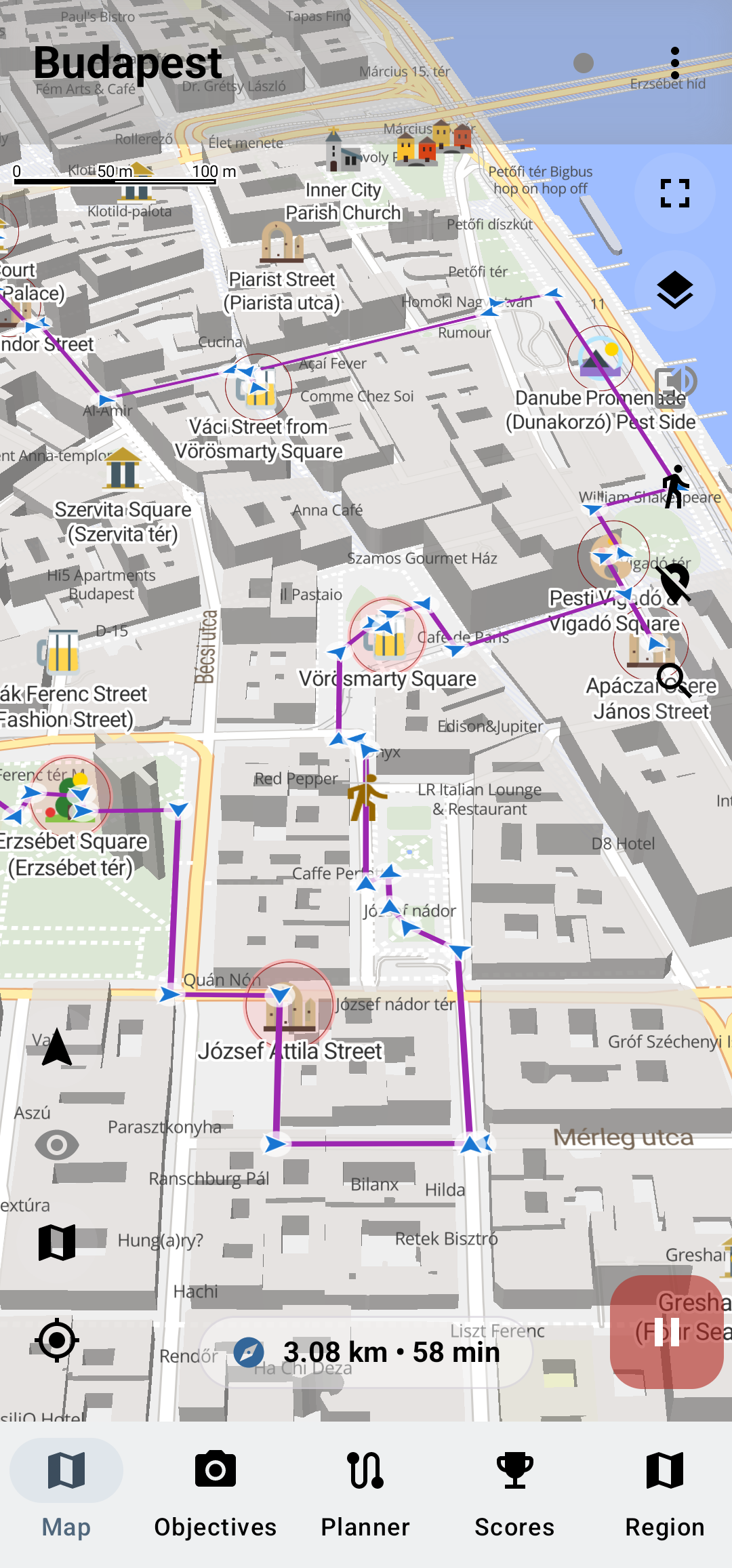
Shows the app in active service. This video features live GPS tracking, the 3D perspective view, and turn-by-turn navigation. It illustrates how the interface adapts to provide clear, actionable guidance during a live trip.
Watch video →Reviewing past journeys, stats, and the “Ghost Trace.”
An overview of the “Travel History” and “Journal” sections. Users can review their previously completed sessions, check discovery statistics such as distance and points earned, and visualize their “Ghost Trace” — a persistent heatmap showing every path they have explored in the region.
Watch video →Creating personalized digital travel memories.
Demonstrates the social and creative aspect of the app. Users can select any visited objective to generate a beautiful, personalized digital postcard that includes trip details and notes, ready to be shared with friends or saved as a keepsake.
Watch video →Adding custom user data and photos to map markers.
Showcases the personalization engine. It shows how users can attach their own photos from the gallery and write private notes for any Point of Interest, transforming a curated system marker into a unique, personal travel memory.
Watch video →Safety-focused vehicular navigation and interactive exploration.
This video demonstrates the seamless extension of the Itinera experience to the vehicle’s dashboard. It highlights the specialized high-contrast 3D map interface designed for driver visibility, real-time turn-by-turn guidance, and integrated audio guides. The video showcases how users can safely interact with Points of Interest (POIs) directly via the car’s touchscreen, with synchronized Text-to-Speech narration providing cultural and historical context during the drive without causing distraction.
Watch video →